
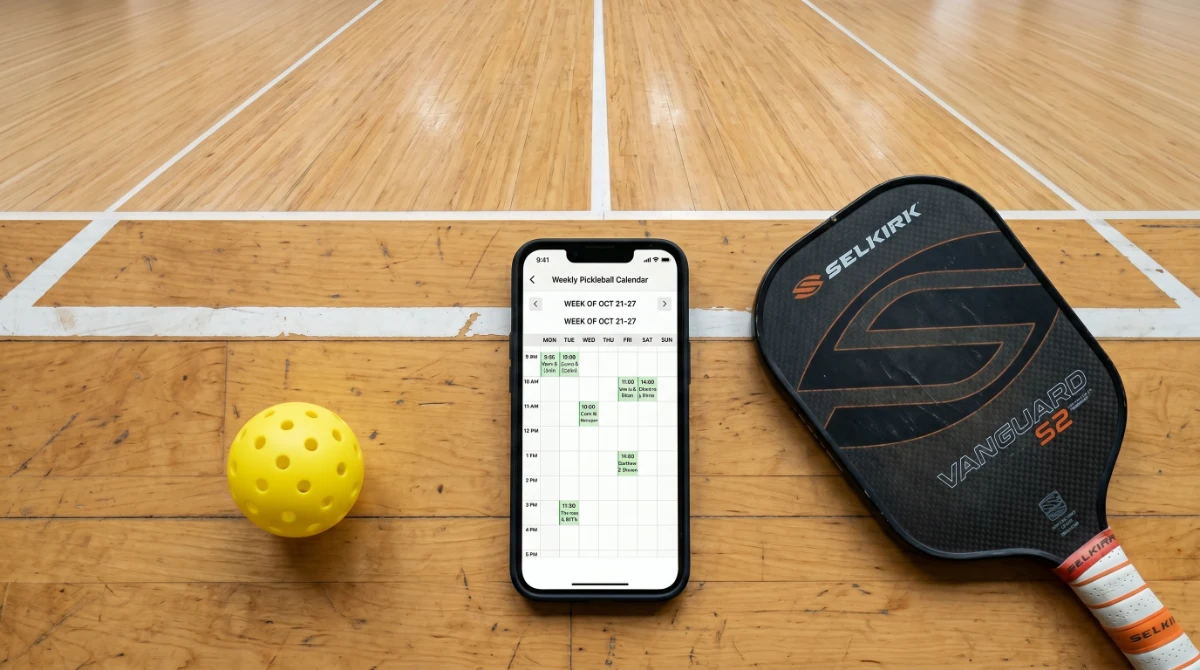

I once ran a pickleball group that communicated entirely through a massive group chat. Every week, fifty messages would fly back and forth asking “Who’s playing Tuesday?” and “What time?” People showed up when they felt like it. Some days we had four players; other days we had sixteen and not enough courts. It was chaos. Then I discovered a proper pickleball scheduler, and everything changed. Games were posted, spots filled instantly, and the endless stream of text messages vanished. If your group is stuck in scheduling chaos and you want to find the best pickleball scheduler for your situation, this guide is for you.
I’m a certified USA Pickleball referee who has helped organize dozens of clubs, open plays, and tournaments. I’ve tested apps, spreadsheets, whiteboards, and social media methods to figure out what actually works. In this article, I’ll walk you through the different types of schedulers, compare the best options, teach you how to set them up, and give you a free interactive scheduler tool you can use right now. No tech jargon—just simple, practical advice that will save your group hours of frustration.
Quick Answer: What is a Pickleball Scheduler?
A pickleball scheduler is a tool or method used to organize pickleball games, open plays, leagues, and court reservations. It can be a mobile app like PicklePlay or Playtime Scheduler, a team communication tool like TeamReach, a social media group, or even a shared spreadsheet. The right scheduler gets everyone on the same page and keeps your group playing consistently.
The Problem: Scheduling Chaos
Without a clear system, pickleball scheduling is a mess. Group chats overflow with messages. Players get left out. Courts sit empty while other days are overcrowded. Volunteers burn out trying to manage it all. I’ve seen promising groups fall apart simply because they couldn’t organize when and where to play. That’s why a dedicated pickleball scheduler is so valuable.
The Solution: A Pickleball Scheduler
A scheduler solves the chaos by giving everyone one place to see upcoming games, sign up, and communicate. It removes the guesswork and the back‑and‑forth. Whether you’re running a casual open play, a competitive league, or a weekly round‑robin, the right tool makes you look organized and keeps players coming back.
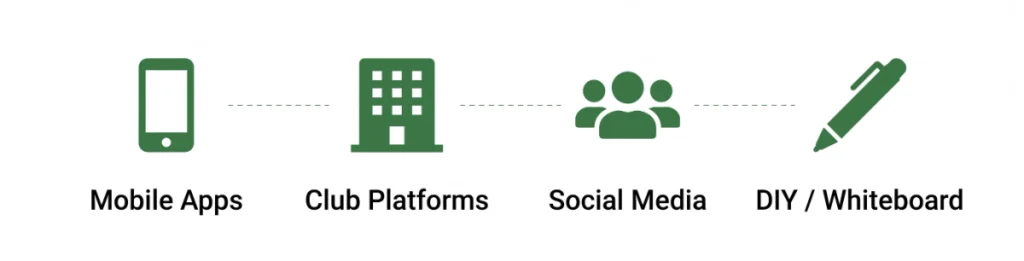
Types of Pickleball Schedulers (With Examples)
There are several ways to schedule pickleball games. Each has its strengths.
Mobile Apps
- PicklePlay: Find courts, see who’s playing, and join games. Great for discovering local play.
- Playtime Scheduler: A simple, pickleball‑specific app that lets you create sessions and let players sign up. Free and easy to use.
- TeamReach: A team communication app with built‑in scheduling, polls, and chat. Popular for established groups.
- CourtReserve: A full‑featured club management platform that handles court bookings, memberships, and payments.
Playtime Scheduler Features
Playtime Scheduler was built specifically for pickleball. Here are its core features:
- Create a session with date, time, location, and player limit
- Set a waitlist that auto‑promotes when someone drops out
- Send automatic reminders to all signed‑up players
- Let players see who else is attending
- Recurring sessions for weekly consistency
- Completely free, no ads, no premium tiers
Web Platforms & Club Management Tools
- CourtReserve / YourCourts / Skedda: These are more robust systems for facilities and clubs that need to manage multiple courts and memberships.
Social Media & Messaging Groups
- Facebook Groups: Create an event for each session. Members can RSVP and comment.
- Meetup.com: A dedicated platform for organizing regular meetups with RSVPs, reminders, and group messaging.
DIY Methods (Free & Simple)
- Google Sheets: A shared spreadsheet where players add their names next to a time slot. Easy to set up, but requires manual management.
- Doodle Polls: Great for finding the best day and time across a group. Not ideal for recurring weekly play.
- Whiteboard (physical): At community courts, a whiteboard with a weekly schedule can be the simplest of all.
Features to Look for in a Scheduler
When you’re choosing a pickleball scheduler, consider these key features.
| Feature | Why It Matters |
|---|---|
| Ease of Sign‑Up | Players should be able to join in seconds, not fill out forms. |
| Waitlist | If a session fills up, a waitlist prevents overbooking. |
| Reminders | Automatic reminders reduce no‑shows. |
| Communication | In‑app messaging keeps everyone informed of changes. |
| Court Management | For facilities, the ability to book specific courts is essential. |
| Cost | Many great tools are free. Know your budget before you commit. |
| Mobile App | A phone‑friendly interface is a must for most players. |
Side‑by‑Side Scheduler Comparison Table
| Scheduler | Type | Cost | Best For | Mobile App |
|---|---|---|---|---|
| PicklePlay | Mobile App | Free | Finding games & courts | Yes |
| Playtime Scheduler | Mobile App | Free | Casual group scheduling | Yes |
| TeamReach | Team App | Free | Established groups | Yes |
| CourtReserve | Club Platform | Paid | Facilities & clubs | Yes |
| Facebook Groups | Social | Free | Community groups | Yes |
| Meetup | Social | Paid plans | Regular meetups | Yes |
| Google Sheets | DIY | Free | Small, simple groups | No |
| Whiteboard | Physical | Free | Community courts | No |
How to Choose the Right Scheduler for Your Group
Use these four questions to pick the best pickleball scheduler.
- How big is your group? Small groups (under 20) do fine with Google Sheets or a whiteboard. Larger groups need an app.
- What’s your budget? Start with a free tool like Playtime Scheduler or TeamReach. Upgrade only if you need advanced features.
- How tech‑savvy are your players? If your group includes seniors who struggle with apps, a simple whiteboard or phone‑call chain may work better.
- Do you need court reservations? For facilities with reservable courts, CourtReserve or Skedda are worth the investment.
How to Set Up a Scheduler (Step‑by‑Step)
For a Casual Weekly Game
- Choose an app (Playtime Scheduler is great for beginners).
- Create a group and invite your players via email or a shareable link.
- Post your first session with the date, time, and location.
- Set a player limit (e.g., 12 for two courts).
- Turn on the waitlist feature so overflows are handled automatically.
- Enable reminders so players get notified the day before.
For an Open Play System
- Use a tool that allows recurring sessions (most apps do).
- Create a weekly event on the same days and times.
- Post the link in your local pickleball Facebook group or on a community bulletin board.
- Appoint a few regulars as “hosts” who can check people in and manage substitutions.
For a League or Round‑Robin
- For simple round‑robins, a Google Sheet template can work. Search for “pickleball round‑robin scheduler” to find free templates.
- For a multi‑week league, TeamReach or CourtReserve offer more structure with standings and scheduling.
How to Join a Game Using a Scheduler
- Download the app your group uses.
- Search for your local group or accept the invitation link.
- Browse the list of upcoming sessions.
- Tap “Join” to claim a spot. If the session is full, join the waitlist.
- Show up on time. If you can’t make it, update your RSVP so someone else can take your spot.
Benefits of Using a Pickleball Scheduler
- Saves time: No more endless texts and emails.
- Increases attendance: Reminders and clear schedules mean fewer forgotten games.
- Reduces no‑shows: Public commitment to a spot encourages accountability.
- Grows your group: New players can easily find and join your games.
- Makes organizers’ lives easier: Automation handles the heavy lifting.
Organizer Tips & Best Practices
- Post sessions at least a week in advance so players can plan.
- Set a cancellation policy (e.g., drop out at least 2 hours before).
- Keep the group description updated with skill levels, rules, and contact info.
- Use a recurring schedule so players know when to expect games without needing to check constantly.
- Designate backup organizers in case you’re unavailable.
The Story of Playtime Scheduler
Playtime Scheduler was built by a pickleball player who was tired of managing everything manually. It started as a small side project and quickly became one of the most popular free scheduling apps in the pickleball community. Its simplicity—create a session, set a cap, and let players sign up—has helped thousands of groups eliminate scheduling headaches. Its impact has been significant — thousands of pickleball communities now rely on Playtime Scheduler to eliminate scheduling chaos and keep their games running smoothly.
Download
Playtime Scheduler is available for free on both the Apple App Store and Google Play Store. Simply search “Playtime Scheduler” in your app store and install it in seconds.
Try the Free Interactive Pickleball Scheduler
You don’t need to download anything to see how a pickleball scheduler works. Use the tool below to create a session, set a player limit, and let others join. When the session fills, a waitlist automatically starts. It’s the fastest way to understand the power of a scheduling tool—and you can use it to manage your own group right from this page.
📅 Pickleball Scheduler 🏓
Create sessions, sign up, and manage your group’s play schedule right here.
Download Your Free Scheduler Planner (PDF)
I created a one‑page planner with a weekly schedule grid, a contact list, and organizer tips. Print it and use it alongside your favorite scheduler.
📅 Pickleball Scheduler Planner
Print or save – a one‑page planner to organize your weekly games and contacts.
📅 Weekly Schedule Grid
| Day | Time | Location | Session Name | Player Cap |
|---|---|---|---|---|
| Mon | ___ | ___________ | ___________ | ___ |
| Tue | ___ | ___________ | ___________ | ___ |
| Wed | ___ | ___________ | ___________ | ___ |
| Thu | ___ | ___________ | ___________ | ___ |
| Fri | ___ | ___________ | ___________ | ___ |
| Sat | ___ | ___________ | ___________ | ___ |
| Sun | ___ | ___________ | ___________ | ___ |
📞 Contact List
| Name | Phone / Email | Role |
|---|---|---|
| ___________ | ___________ | ___________ |
| ___________ | ___________ | ___________ |
| ___________ | ___________ | ___________ |
| ___________ | ___________ | ___________ |
💡 Organizer Tips
- Post sessions at least 1 week in advance.
- Set a cancellation policy (e.g., 2‑hour notice).
- Update the group description regularly.
- Designate backup organizers.
- Always enable waitlists to prevent overbooking.
Frequently Asked Questions (FAQ)
What is the best free pickleball scheduler?
Playtime Scheduler, TeamReach, and Google Sheets are all free and highly effective.
How do I organize an open play schedule?
Use a scheduling app, set a recurring weekly session, and share the invite link widely. Set a player cap and enable waitlists.
Can I schedule pickleball courts online?
Yes, platforms like CourtReserve and YourCourts allow online court reservations and payments.
How do I create a pickleball league schedule?
Start with a simple round‑robin template in Google Sheets, or use TeamReach for a more structured league setup.
What if my group isn’t tech‑savvy?
A physical whiteboard at the court or a simple phone tree can work, though a basic app like Playtime Scheduler is very intuitive even for non‑tech users.
✅ Pickleball Scheduler – Key Takeaways
- Start with a free app. Playtime Scheduler and TeamReach handle most group needs without cost.
- Match the tool to your group. Small groups can use a shared spreadsheet; larger groups need an app with waitlists and reminders.
- Set a player cap and enable waitlists to prevent overcrowding and no‑shows.
- Use recurring sessions so players always know when and where to play without constant updates.
- Try the interactive scheduler above to experience how effortless scheduling can be, and download the free planner to stay organized.
You’re Ready to Organize Your Games
I used to spend hours every week managing my group’s schedule. Now, with the right pickleball scheduler, it takes me five minutes. The chaos vanished, attendance went up, and players actually thanked me for making things easy. A good scheduler doesn’t just save time—it keeps your pickleball community alive and growing.
Everything in this guide comes from real experience. I’ve used every tool mentioned and helped dozens of groups set up their systems. Bookmark this article, use the interactive scheduler, and grab the planner. Then pick the scheduler that fits your group and never send another frantic group text again.
For more resources, read our Complete Pickleball Rules 2026 Guide or test your skill with the Free Skill Analyzer. Now go get your group organized—you’ve got this.
